

Configure Pardot Integration Variables
Functionality
Section titled “Functionality”- To transfer data to Pardot via their API, you need to define the business unit(s) to which the data should be related.
- If Prospects are created via the Interface, you must define the Source Campaign.
-
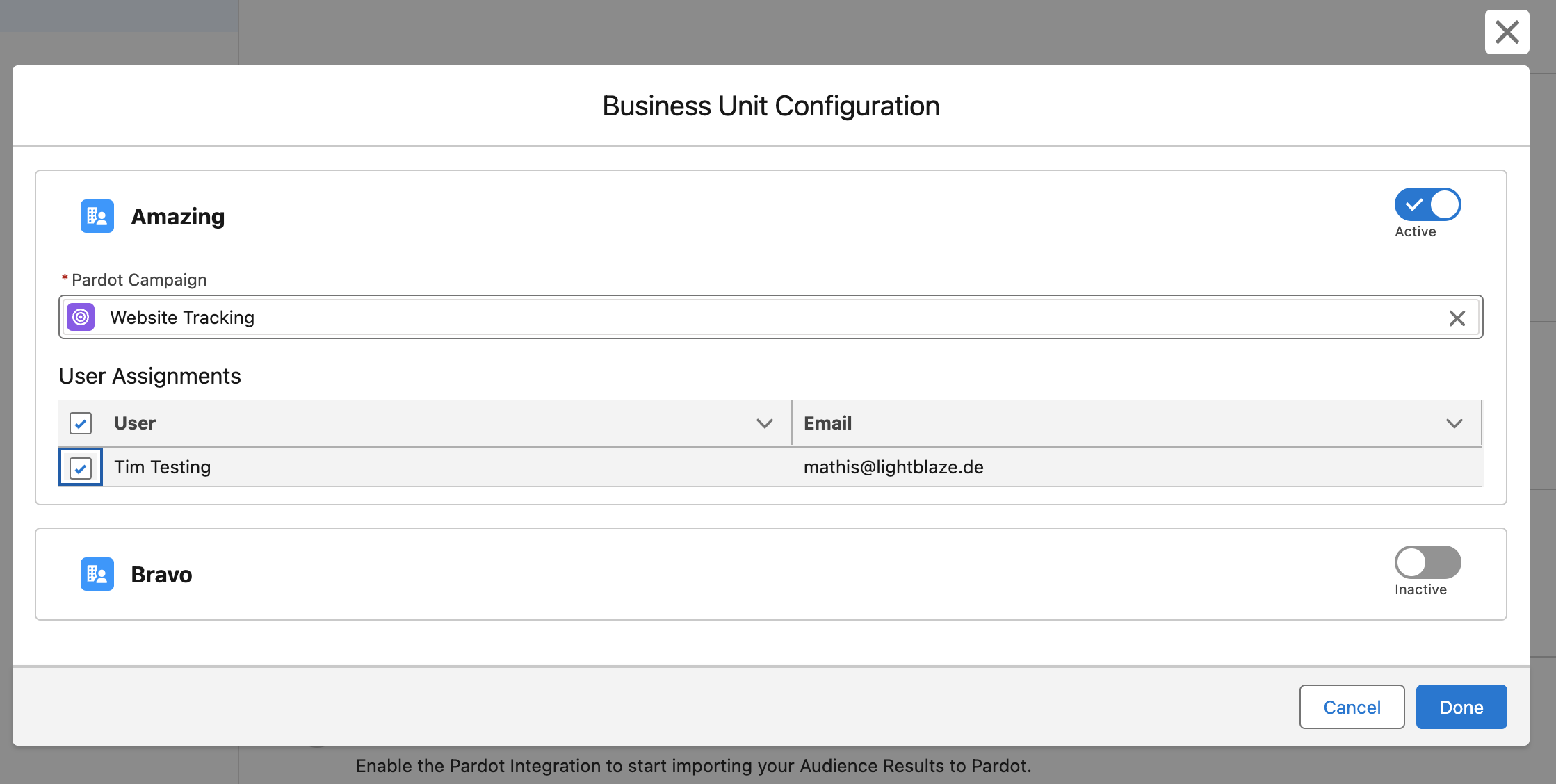
Click Edit to open the setup modal.
-
First, activate the business units(s) to which you want to assign your prospect data by clicking the toggle button (active/inactive).
-
After activating a Business Unit, you must select the campaign that will be assigned as the Source Campaign for Prospects created via the Interface.
-
We suggest creating a new campaign titled “Created by CAB” so you always know where these prospect records originated.
-
The final step is assigning users to this BU. Only assigned users can select this BU in our CAB-Pardot Integration.
-
Ensure that the assigned users are also assigned to the Pardot BU in your Marketing Setup (Account Engagement > Business Unit Setup > Manage Users)
- Finish the setup by clicking Done.