

Understand an audience with composition profiles
Know who is inside the audience
A result count tells you how many people matched. Audience Composition explains what the group looks like: prominent values, recency bands, missing data, differences from the organization baseline, and a short Cabby narrative.
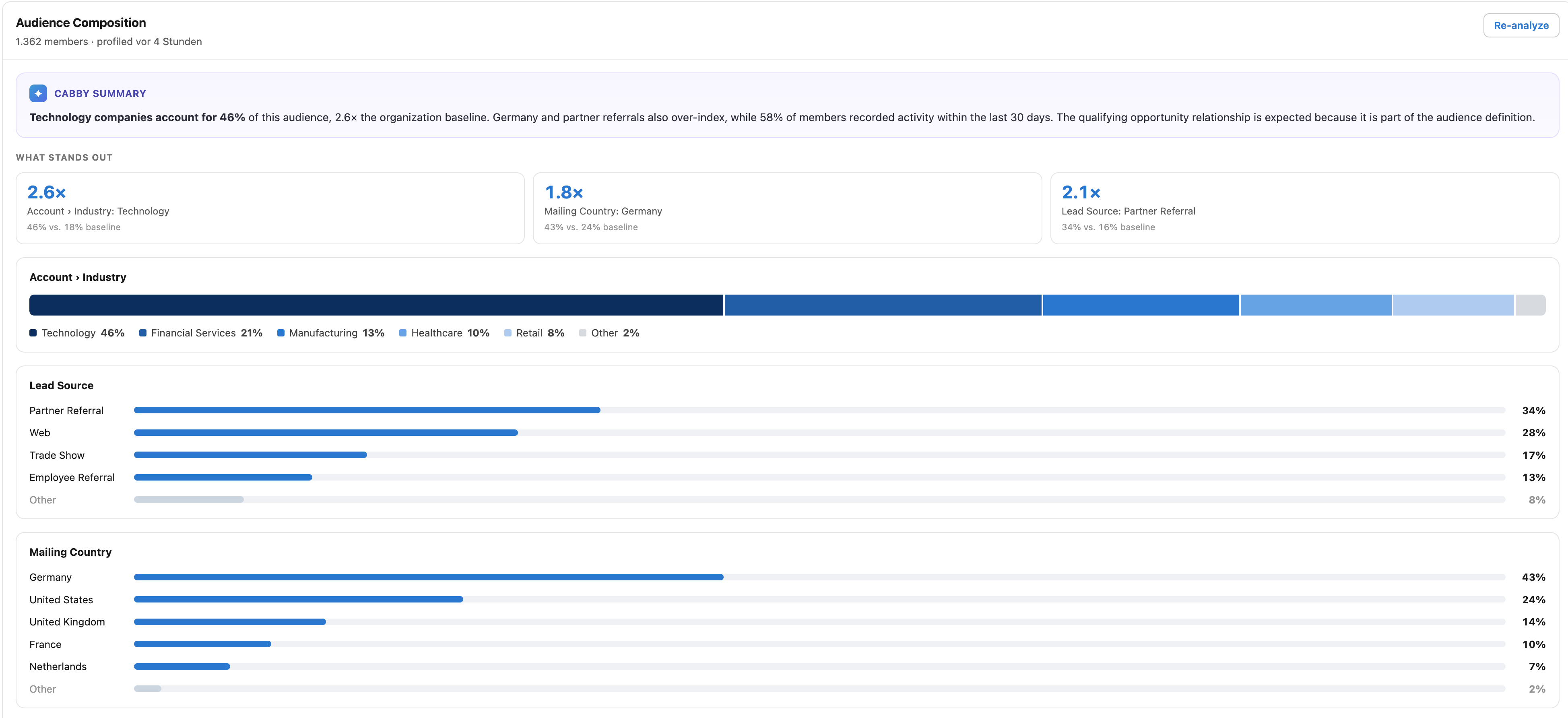
Analyze a run
Section titled “Analyze a run”- Open an audience’s Run History and select its latest completed run.
- In Audience Composition, select Analyze. Use Re-analyze to recompute the profile while the run is still the latest.
- Start with Highlights, then review What stands out, As filtered, and the Cabby Summary.
Highlights focus on meaningful divergence from the wider organization and on data-quality signals. Fields used directly in the audience filters are separated as As filtered, so an expected skew is not presented as a surprising discovery.
Which runs have a profile
Section titled “Which runs have a profile”Only the latest completed run of an audience can be analyzed. When a newer run finishes, the earlier run keeps its profile and shows it read-only, without Analyze or Re-analyze. The Cabby Summary is also written only for the latest run, so an earlier run shows one only if it was written while that run was the latest.
An earlier run that was never analyzed shows no Audience Composition. To keep a profile for every run, an administrator can turn on automatic profiling (see below).
These runs are never profiled:
- runs without results;
- test runs;
- runs that a sequence makes of one of its audiences;
- archived runs, which run history summarizes by month.
A profile stays with its run until the run history retention limits remove the run.
Exact versus sampled
Section titled “Exact versus sampled”Smaller audiences can be profiled in full. Larger audiences use a representative sample and show Profile based on … members (sampled). Sampling keeps the job bounded while remaining useful for distribution-level insight.