

Work on the audience canvas
Read an audience at a glance
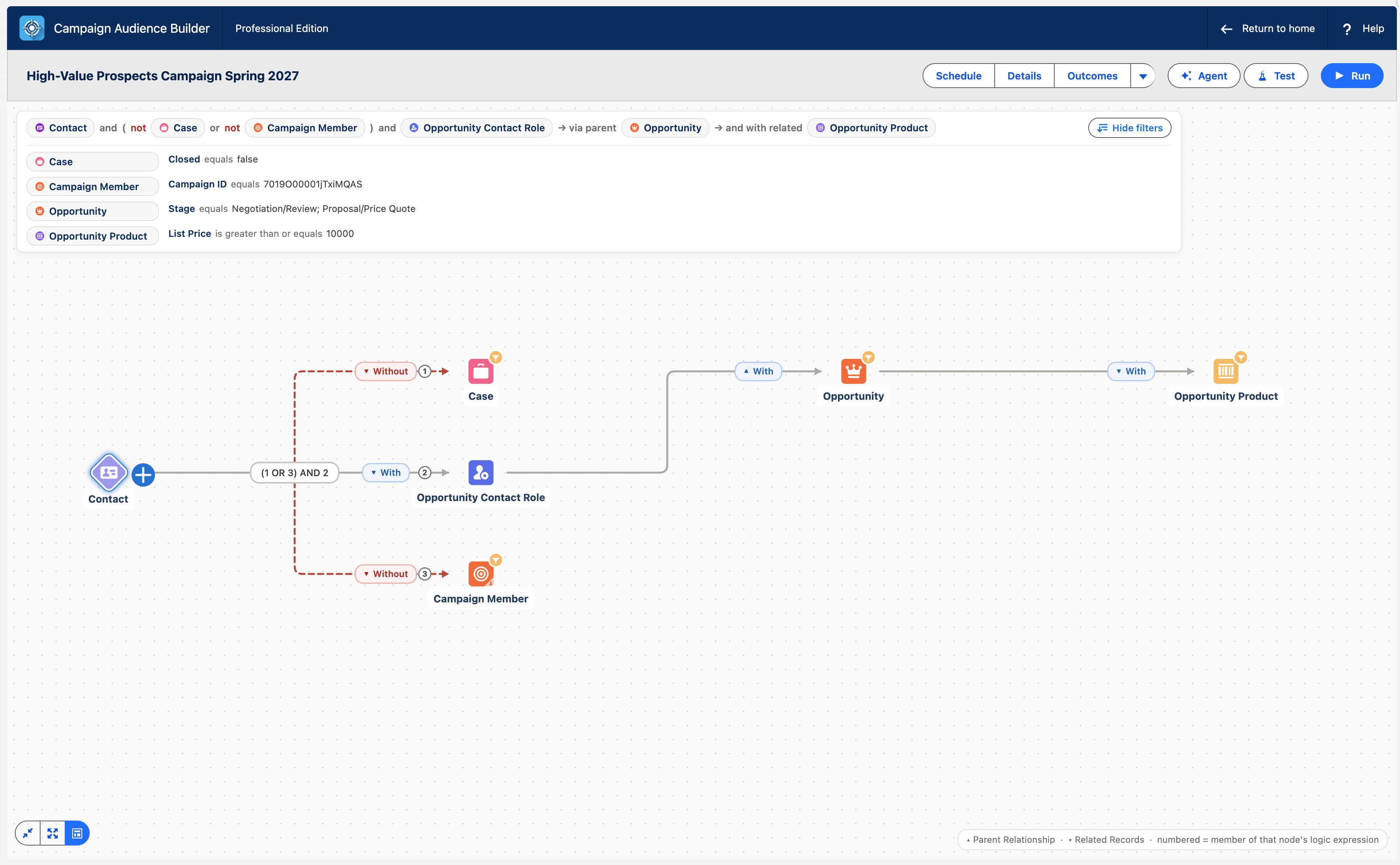
The canvas lays out even complex audiences in a predictable reading order, keeps connection logic aligned, and adds a compact plain-language summary without changing the audience definition itself.
Switch to the new layout
Section titled “Switch to the new layout”- When the card Try the new canvas layout appears, select Switch to the new layout.
- Read the audience from left to right. Numbered connector chips and relationship paths remain anchored to the nodes they describe.
- Open the summary at the top of the canvas for an at-a-glance sentence. Use Hide filters when you want the compact version again.
The summary starts collapsed so it does not cover the workspace. The last-run card stays pinned separately — for an audience that has run before, it shows when the last run happened and how many results it returned, and its View Results action opens that result set without re-running the audience. Governed Filter Library branches retain their distinct styling.
Prefer the previous layout?
Section titled “Prefer the previous layout?”Use the layout button in the bottom-left corner of the canvas. Its tooltip reads Switch between the redesigned and the previous canvas layout.