

Schedule combination and waterfall sequences
Run a sequence without starting it by hand
A combination or waterfall sequence can run on a recurring schedule, so nobody has to start it by hand. Sequences use the same scheduling workflow as a standalone audience and preserve the way each sequence type calculates its result.
Schedule a sequence
Section titled “Schedule a sequence”- Open a combination or waterfall sequence.
- Select Schedule in the sequence header. Once a schedule exists, the same action reads Manage Schedule.
- Under Configure Schedule, choose the cadence exactly as you would for a standalone audience.
- Under Configure Actions, decide what happens with the results.
- Select Save. The header shows the schedule’s active or planned state just as it does for a standalone audience.
Shared components are built once when sequence schedules are due together.
Give each waterfall step its own actions
Section titled “Give each waterfall step its own actions”A waterfall produces a separate result set per step, so Configure Actions lists one collapsible section per step rather than a single set of actions. The sections appear in waterfall order and are labelled with the audience each step uses; the badge on the right counts the actions configured for that step.
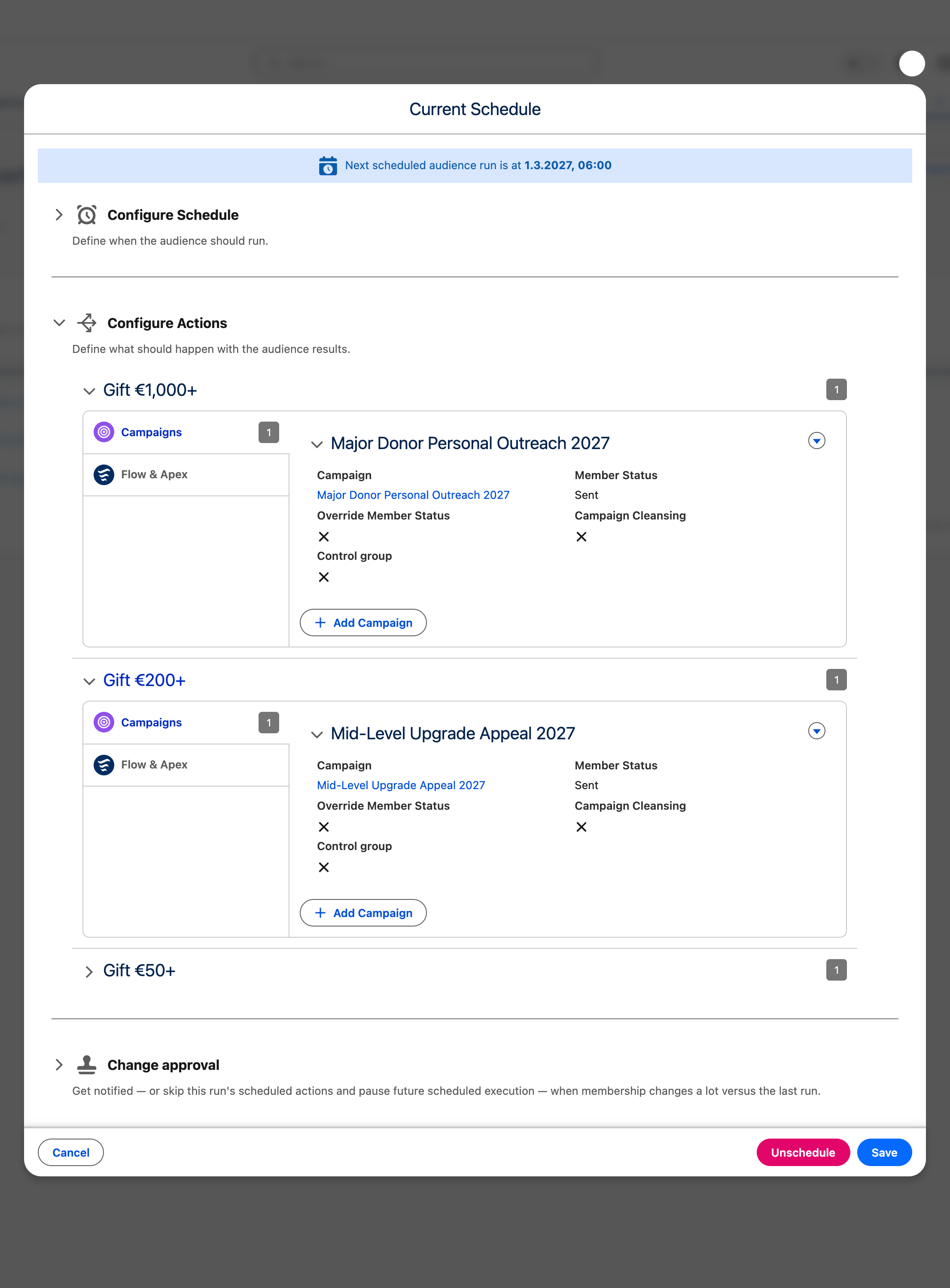
Expand a step to configure it with the same editor a standalone audience uses — Campaigns, Data Extensions, and Flow & Apex, subject to your edition and integrations. Each step is independent: it can activate into a different destination than the steps above it, or have no actions at all. Because a waterfall step excludes everyone claimed by the steps above it, the members handed to a step’s actions are that adjusted segment, not the step audience’s full membership.
A combination has no per-step sections. It resolves to one final audience, so its actions are configured once and receive the combined result.
When change approval blocks a sequence
Section titled “When change approval blocks a sequence”A pending change-approval decision pauses the scheduled sequence before its actions continue. Rejecting a sequence run—or a waterfall component decision within that run—discards the remaining held actions and blocks the schedule-owning sequence until it is resumed manually.
The sequence header replaces its normal schedule icon with a warning. The assigned approver or a CAB administrator can select Resume scheduled audience from that warning, or open Manage Schedule and select the same action in the blocked-schedule warning. Both routes ask for confirmation with Resume scheduled audience?; other users see the blocked state but cannot resume it. Resuming starts the next due sequence run from fresh data. It does not replay the rejected run or its component actions, and a continuing anomaly can require approval again.
See Review large membership changes before actions run for the decision and resume workflow.
Before you start
Section titled “Before you start”- Your CAB edition must include sequences and scheduling.
- The audience scheduler must be running.
- Platform Cache must be available for sequence result reuse.