

Set Up: Campaign Suite
Introduction
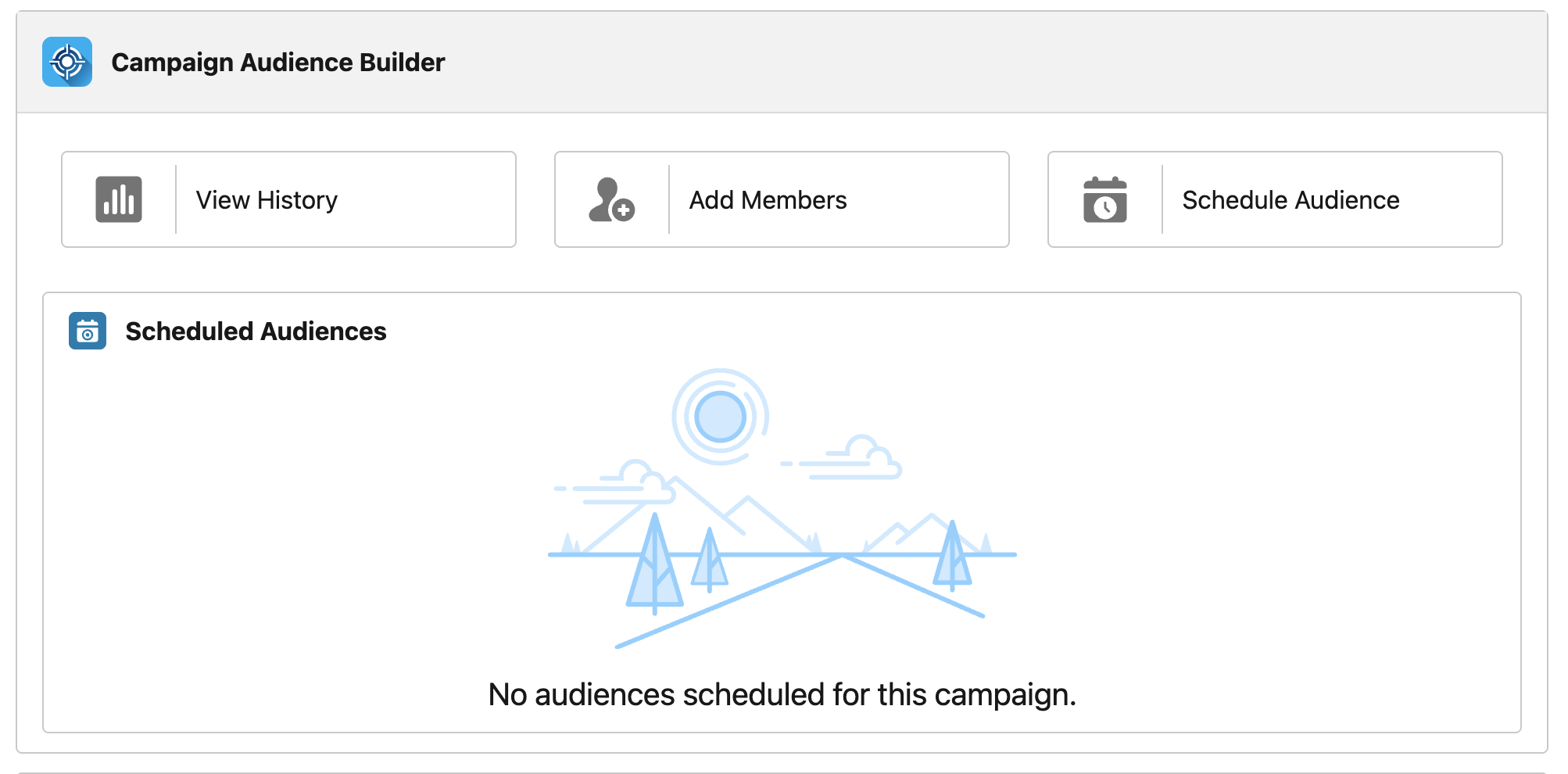
Section titled “Introduction”The Campaign Suite component enables users to perform specific actions directly from campaign records.
- View History - Provides an overview of the audiences that have updated the campaign members.
- Add Members - Allows users to manually add new campaign members to selected audiences.
- Schedule Audience - Enables the setting up of schedules for audiences that should repeatedly update the campaign members list.
- Scheduled Audiences Overview - Displays all audiences that currently sync into this campaign.
Setup Steps
Section titled “Setup Steps”-
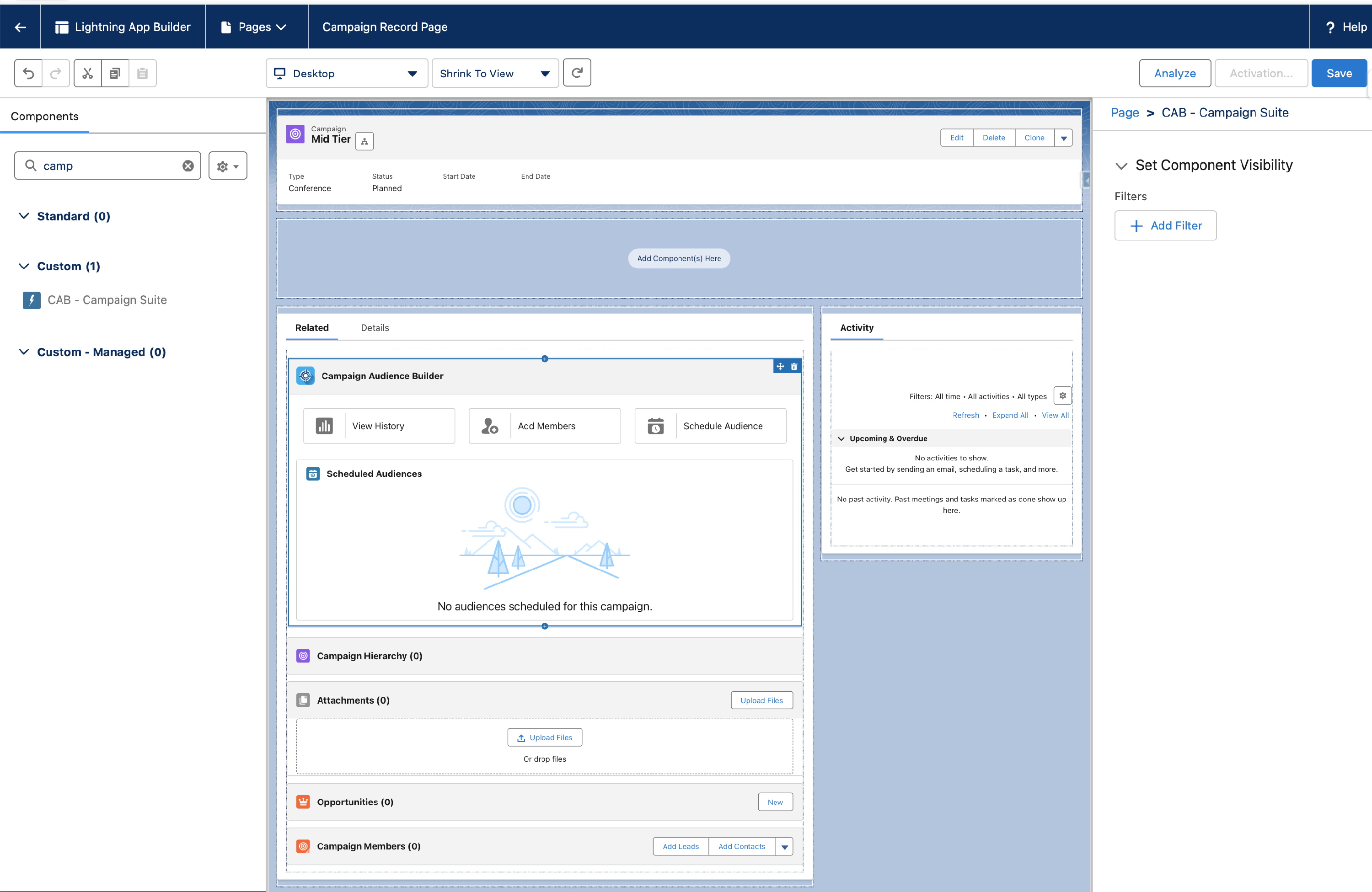
Open a Campaign record and click Setup> Edit Page.
-
Choose an area where you you’d like to place the component.
-
You can find it via Custom - Managed > CAB - Campaign Suite.
-
Drag and drop the component onto your record page.
-
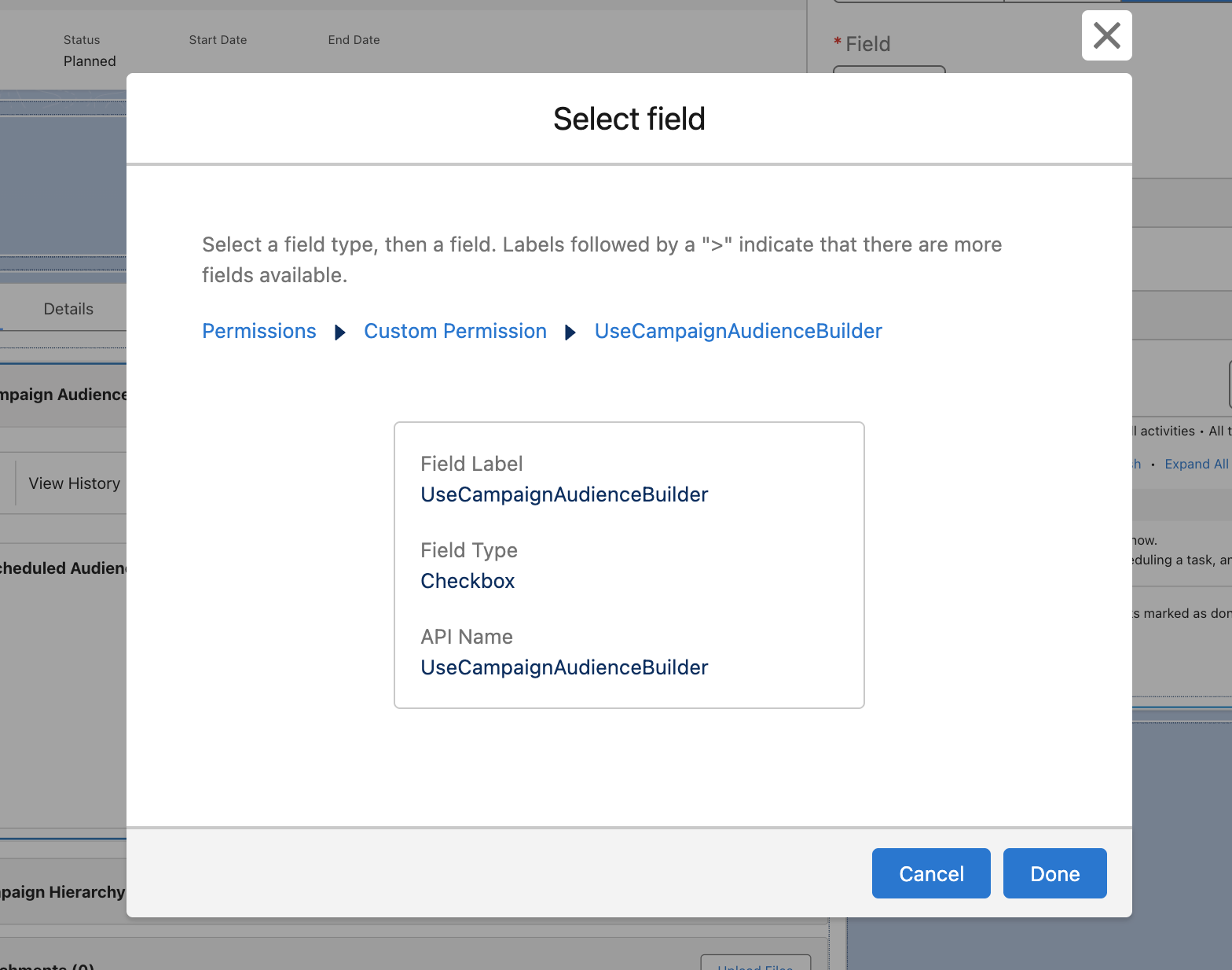
To ensure that only users with CAB permissions can see the component > Set Component Visibility > + Add Filter.
-
Select Advanced > Permissions > Custom Permission > lb.UseCampaignAudienceBuilder Equals True.
-
Click Done.
- Click Save to complete the setup. If you’ve never set up a campaign record page before, you also need to activate this page now.