

Process only what changed between scheduled runs
Activate only what changed
Delta processing reduces repeat work on large, frequently scheduled audiences. Instead of walking the whole audience every time, an eligible action can process only the membership changes since its last successful activation.
Campaign actions
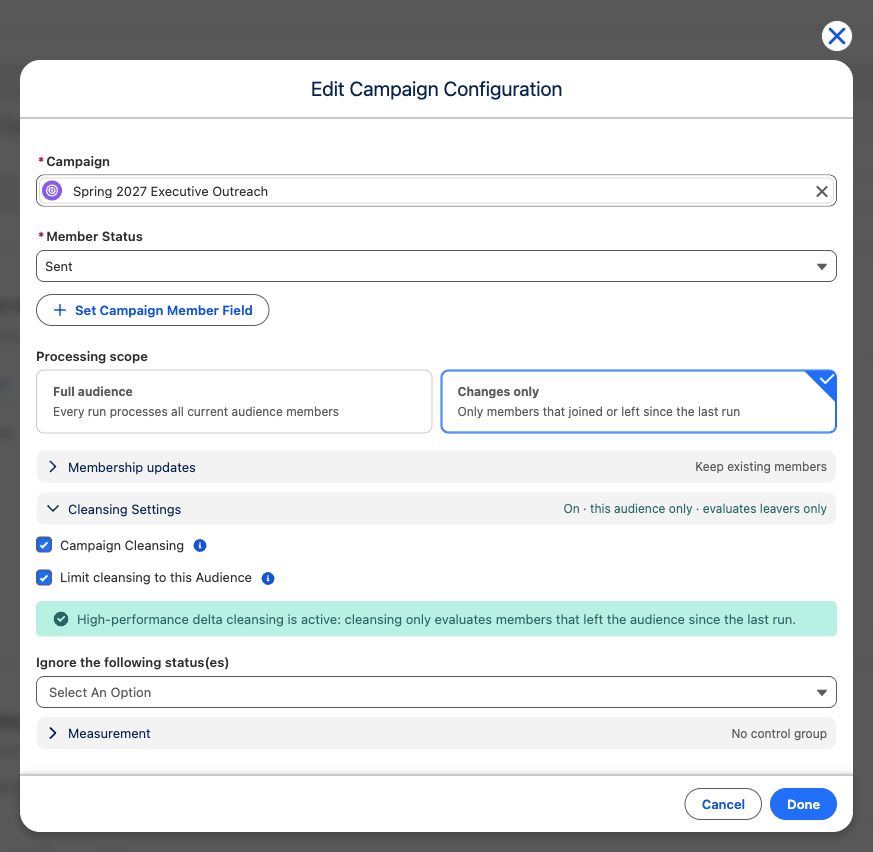
Section titled “Campaign actions”- Edit or create a scheduled add-to-campaign action.
- Under Processing scope, select Changes only.
- To remove leavers as well, open Cleansing Settings, turn on Campaign Cleansing, and keep Limit cleansing to this Audience selected.
With Changes only, CAB adds joiners and—when audience-limited cleansing is enabled—evaluates leavers without walking unrelated Campaign Members. Existing members are not refreshed when Membership updates is set to keep them, and a person manually removed from the Campaign is not re-added merely because they still belong to the audience.
Marketing Cloud data extensions
Section titled “Marketing Cloud data extensions”The same Only process members added since the last run option sends joiners between full refreshes. Use Delta runs between full refreshes to schedule a periodic full reload. If left empty, a full refresh occurs only when CAB cannot use a delta baseline.
When no full-refresh cadence is configured, the interface warns: Members who leave the audience are never removed from the data extension. With a cadence, leavers remain until the next full refresh clears and reloads the data extension.
Flow and Apex Final Actions
Section titled “Flow and Apex Final Actions”- Open the schedule, go to Flow & Apex, and select Edit Action on a saved action — or configure it while adding one.
- Under Processing scope, select Changes only.
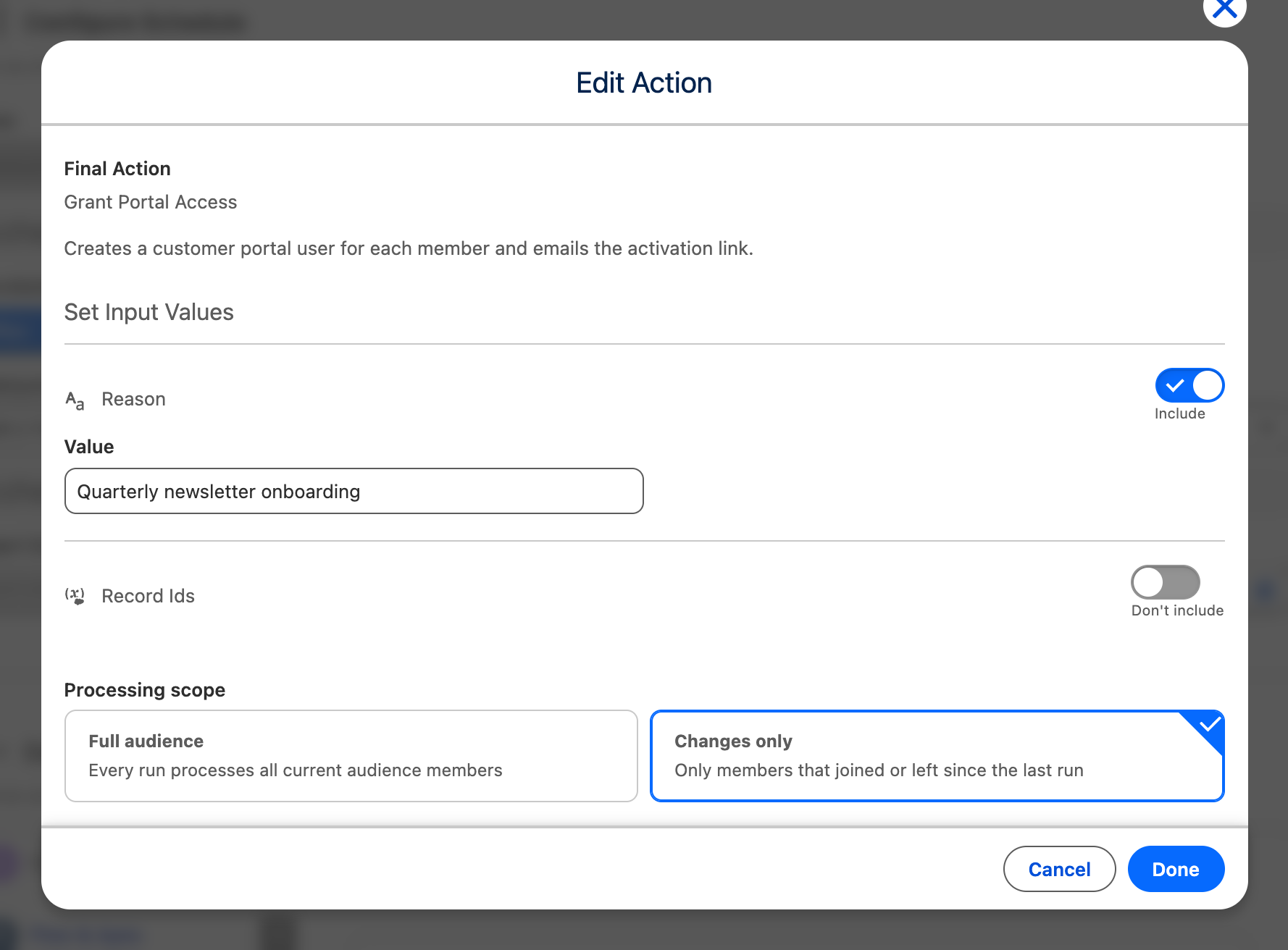
The action then receives only the members that joined since its last successful activation, instead of every current member. Nothing else about the action changes: the same Apex class or Flow runs, with the same input values.
Members who left the audience are never handed to a Final Action under either scope, because both scopes describe the current membership. An Apex Final Action that must react to departures can read them directly — see Apex Integration.
Safety rules
Section titled “Safety rules”- The baseline advances only after a successful activation.
- The first run, or a run with no usable baseline, safely processes the full audience.
- Delta processing is configured per scheduled action.
- Manual actions do not show this option.