

Set defaults and enforce filters
Make a rule apply to every audience, not only to the ones that remember it
A default entry is added by CAB itself to every new filter on its object. A locked default goes further: builders cannot edit or remove it, and you can apply it to the audiences that already exist. Use it for rules that must never be skipped, such as contact preferences.
Give curators access
Section titled “Give curators access”Assign the Campaign Audience Builder Filter Library Management permission set to the people who create and maintain entries. It contains the Manage Filter Library permission. Curators also need read access to the objects and fields they filter on, because the field lists and the record counts follow their own access.
Builders who only add entries to their audiences need no extra permission.
Make an entry a default
Section titled “Make an entry a default”- Open the entry and go to Filters & Options.
- Turn on Default for new nodes.
- Under Apply this default as, choose how CAB adds the entry to each new filter on the object:
- Copy: CAB copies the conditions into the new filter. Builders can edit them. Several Copy defaults are combined with AND.
- Sync: CAB adds a live reference. Builders can detach it.
- Locked: CAB adds an enforced, read-only reference. Only a curator can release it.
- Save the entry.
The list then marks the entry Default · Copy, Default · Sync or Default · Locked. An object can have up to 10 defaults in total. A configurable entry cannot be a default; see Make an entry configurable.
A default only decides what CAB adds automatically. A builder who adds an entry by hand still chooses between Copy and Sync.
Lock an entry
Section titled “Lock an entry”When you choose Locked, also choose under Enforced on node types where the entry applies: on filters added With or Without a related object, or on Aggregate filters. Select at least one.
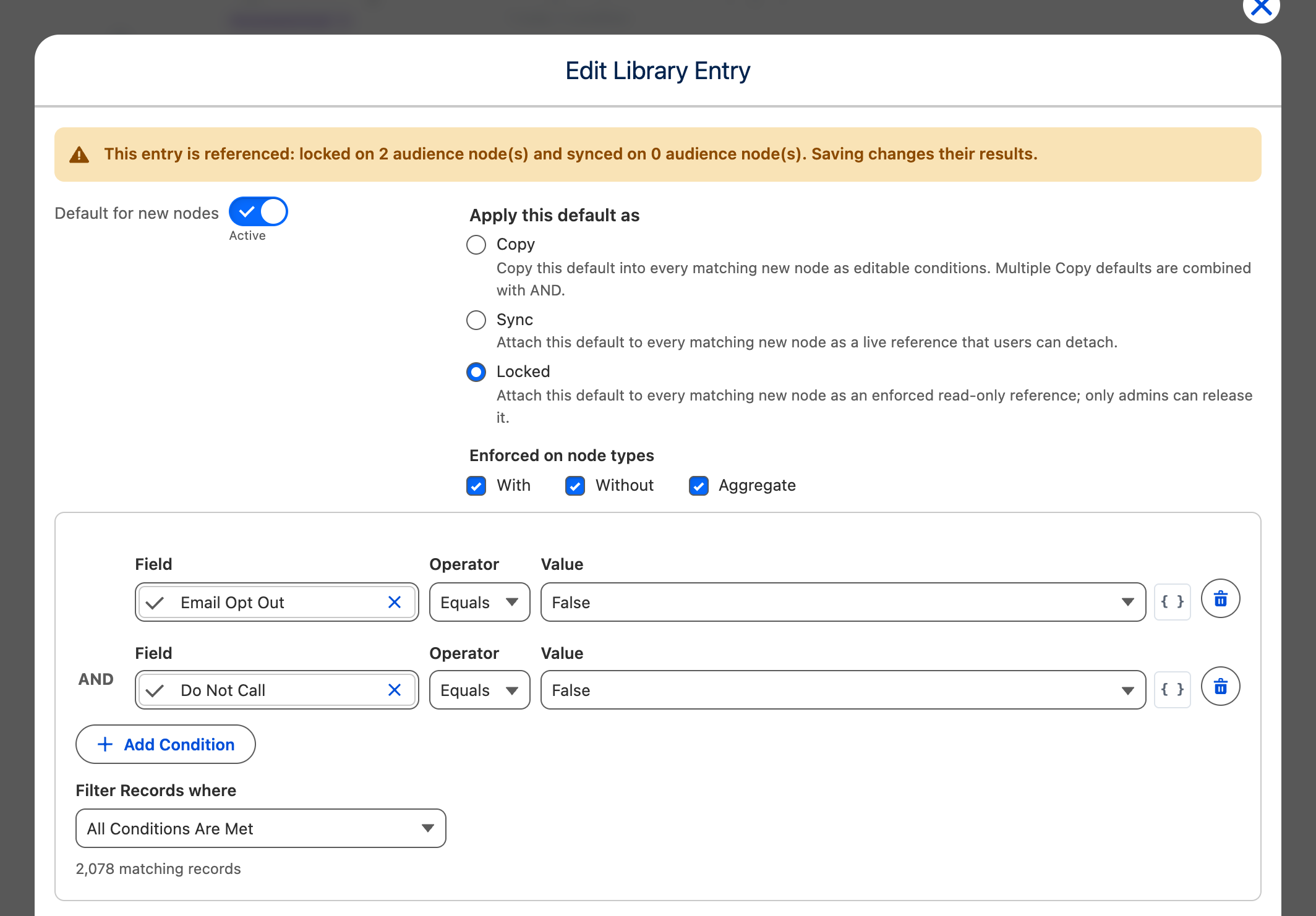
When you save, CAB asks Apply to Existing Audiences?. Confirm to add the locked entry to the existing audience filters on this object as well. CAB does this in the background, and the entry applies from each audience’s next run.
Release a locked entry
Section titled “Release a locked entry”- Open the entry, select a different Apply this default as option or turn off Default for new nodes, and save.
- CAB asks Release Governed Filters?. Confirm to release the audience filters that the entry still governs.
- CAB then asks Keep the Conditions?.
- Confirm to keep the entry’s conditions in the released audiences as editable conditions.
- Skip it to remove the conditions from those audiences.
Release a locked entry before you delete it. See Manage entries that are in use.