

See audience size and membership change over time
See how an audience changed between runs
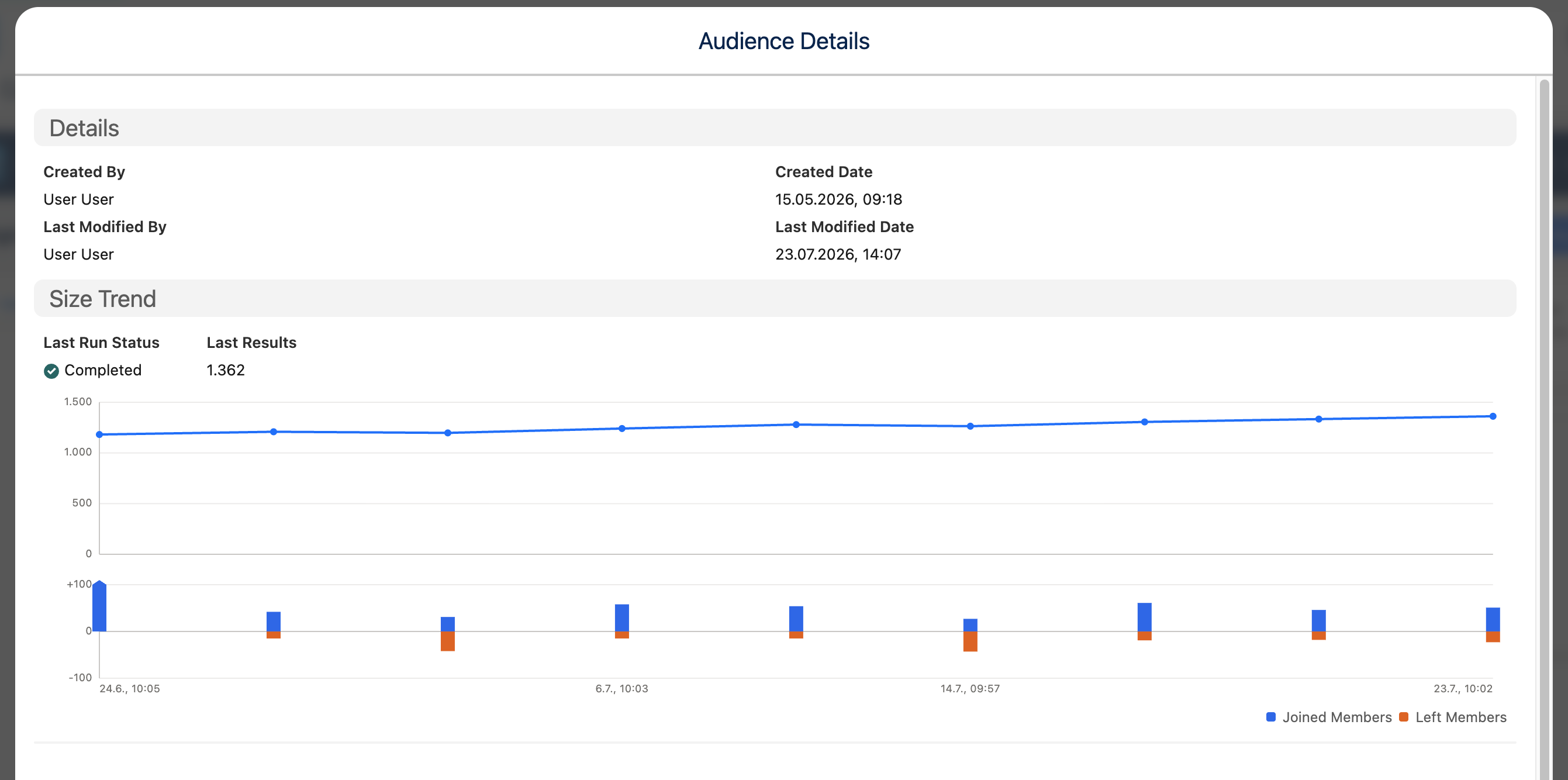
Run history answers two different questions: “How large was this audience?” and “Who actually changed?” Size trends appear at a glance. When your administrator has turned on Track membership changes between runs, each run also records who joined and who left since the run before.
Use the trend and change views
Section titled “Use the trend and change views”- Open an audience and its Run History.
- Use Size Trend to see result counts across runs.
- Open a run to see how many members joined and left since the run before. Joined Members and Left Members appear when the run could be compared with the one before it.
The first run after tracking is turned on has no earlier run to compare with. A later run can also show a skipped or unavailable comparison if the members of the run before are no longer stored.
Numbers you will see
Section titled “Numbers you will see”- Total results for each run.
- Joined and left counts when tracking is active.
- Run status. A run that couldn’t be compared with the run before shows no joined and left counts.