

Manage entries that are in use
Change a shared filter without surprises
When audiences sync an entry or an administrator locked it, a change to the entry changes those audiences. The library shows where each entry is used, warns you before an edit, and protects entries that audiences still depend on.
See where an entry is used
Section titled “See where an entry is used”The Used in column shows how many audiences use the entry, for example 2 Audiences, or Not used yet. Select the number to open the list of audiences. For each audience, the list shows whether the entry is Locked or Synced there. Select an audience name to open it.
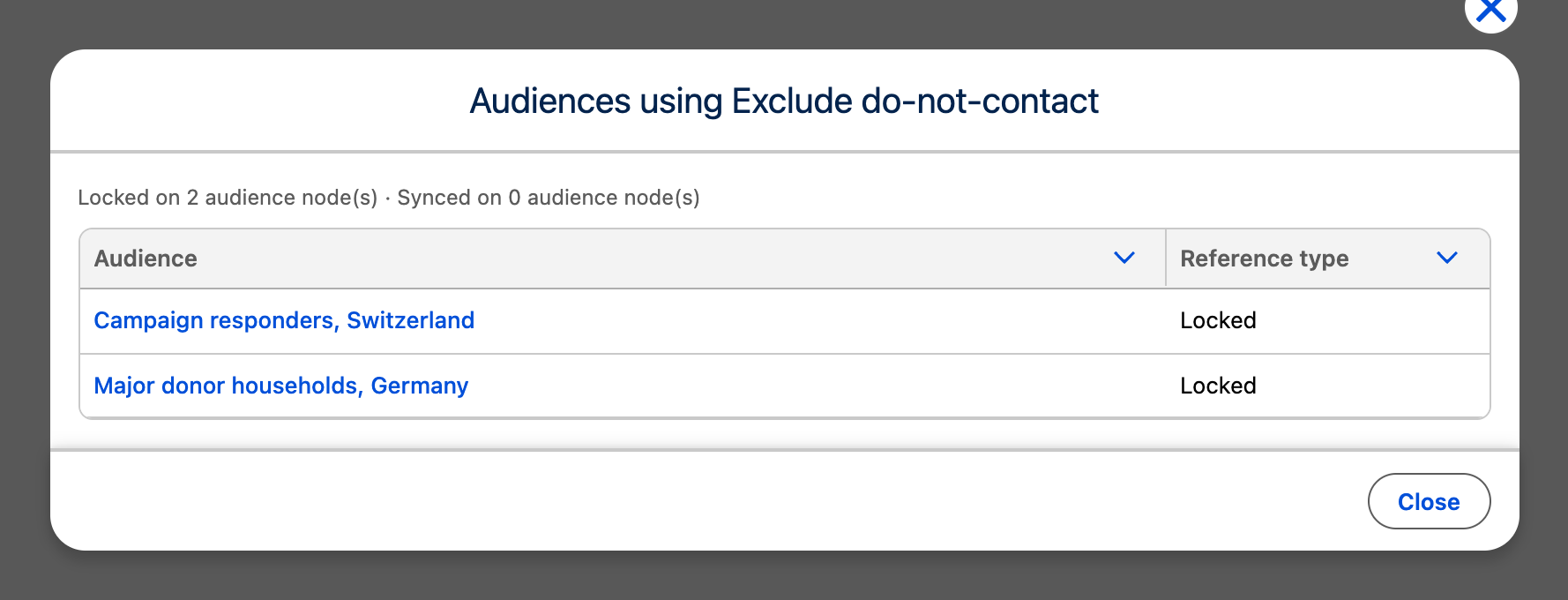
The list counts only synced and locked uses. Copies, including configured copies, have no link to the entry and do not count.
Edit an entry that is in use
Section titled “Edit an entry that is in use”When you open an entry that audiences use, the editor says how many audience filters lock or sync it, for example This entry is referenced: locked on 0 audience node(s) and synced on 2 audience node(s). Saving changes their results.
When you save, every audience that syncs or locks the entry uses the new conditions from its next run. Check the list of audiences before a change that makes the entry much narrower or much wider.
Stop syncing all audiences
Section titled “Stop syncing all audiences”To end the live link for every audience at once, open the list of audiences from the Used in column, select Detach all synced audiences, and confirm Detach All Synced Audiences?. CAB copies the entry’s current conditions into each synced audience filter as editable conditions, then removes the links. The audiences keep their results, but later changes to the entry no longer reach them. Locked uses stay. This runs in the background.
A builder can also detach one audience with Detach in its filter editor.
Delete an entry
Section titled “Delete an entry”Select the delete icon in the entry’s row and confirm. CAB does not delete an entry that audiences still sync or lock. In that case:
- If the entry is locked, an administrator releases it first. See Set defaults and enforce filters.
- Detach the synced audiences.
- Check that Used in says Not used yet, then delete the entry.
Copies in audiences stay when you delete the entry, because they have no link to it.
To delete an entry that someone else owns, ask the owner or a Salesforce administrator with record delete access.