

Pardot: Transfer Audience Results
Introduction
Section titled “Introduction”You can now quickly transfer your audience results to Pardot Lists.
- Build your audience or open an existing one
- Generate your audience results
- Transfer these results to the selected Pardot List(s)
Functionality
Section titled “Functionality”- On the Audience Results view, you find that option by clicking the dropdown menu button next to Add to Campaign, and then you click Add to Pardot List.
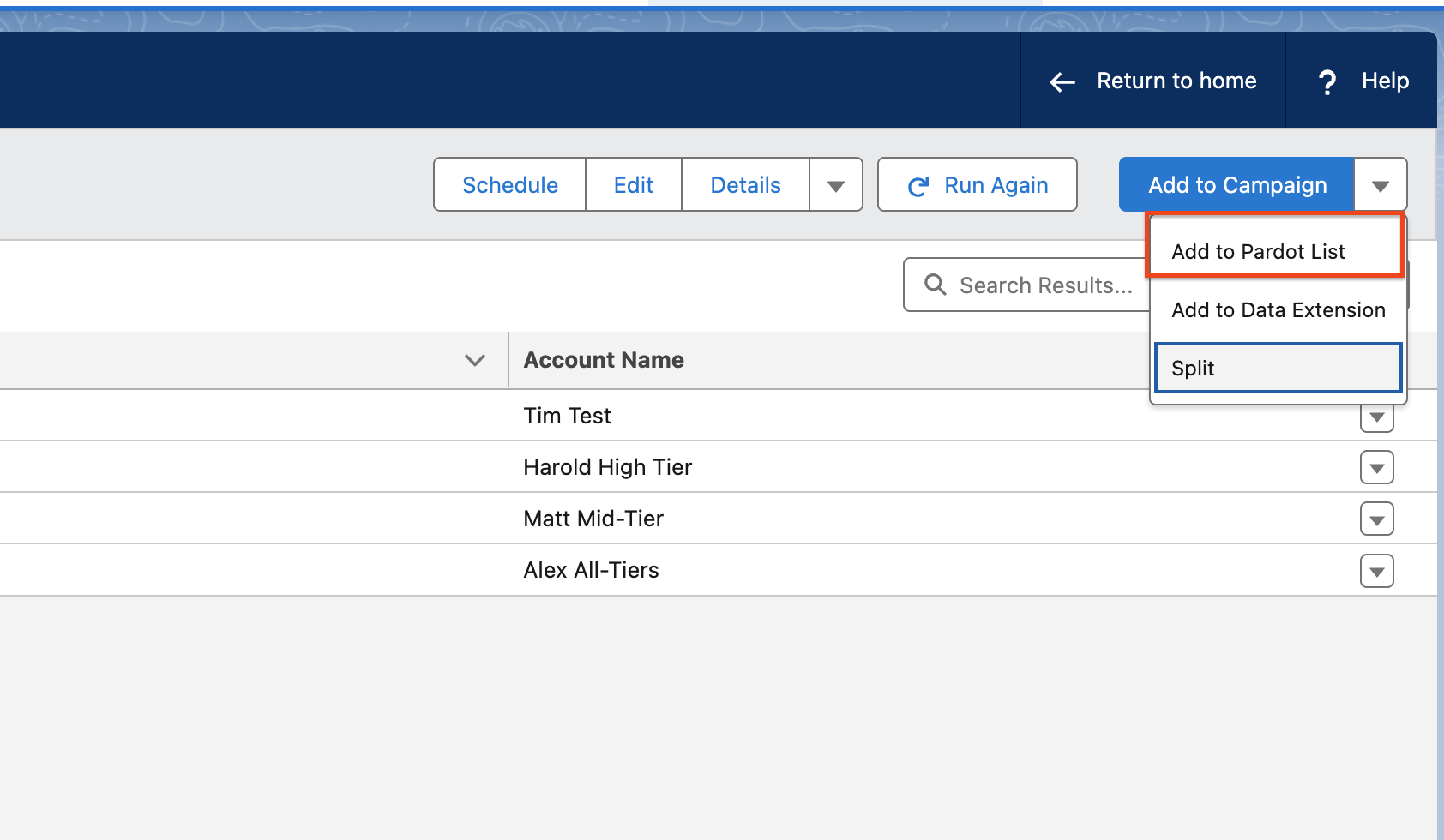
- You can look up all static Pardot lists using the Lists Search Bar.
- Select a list by clicking the list name.
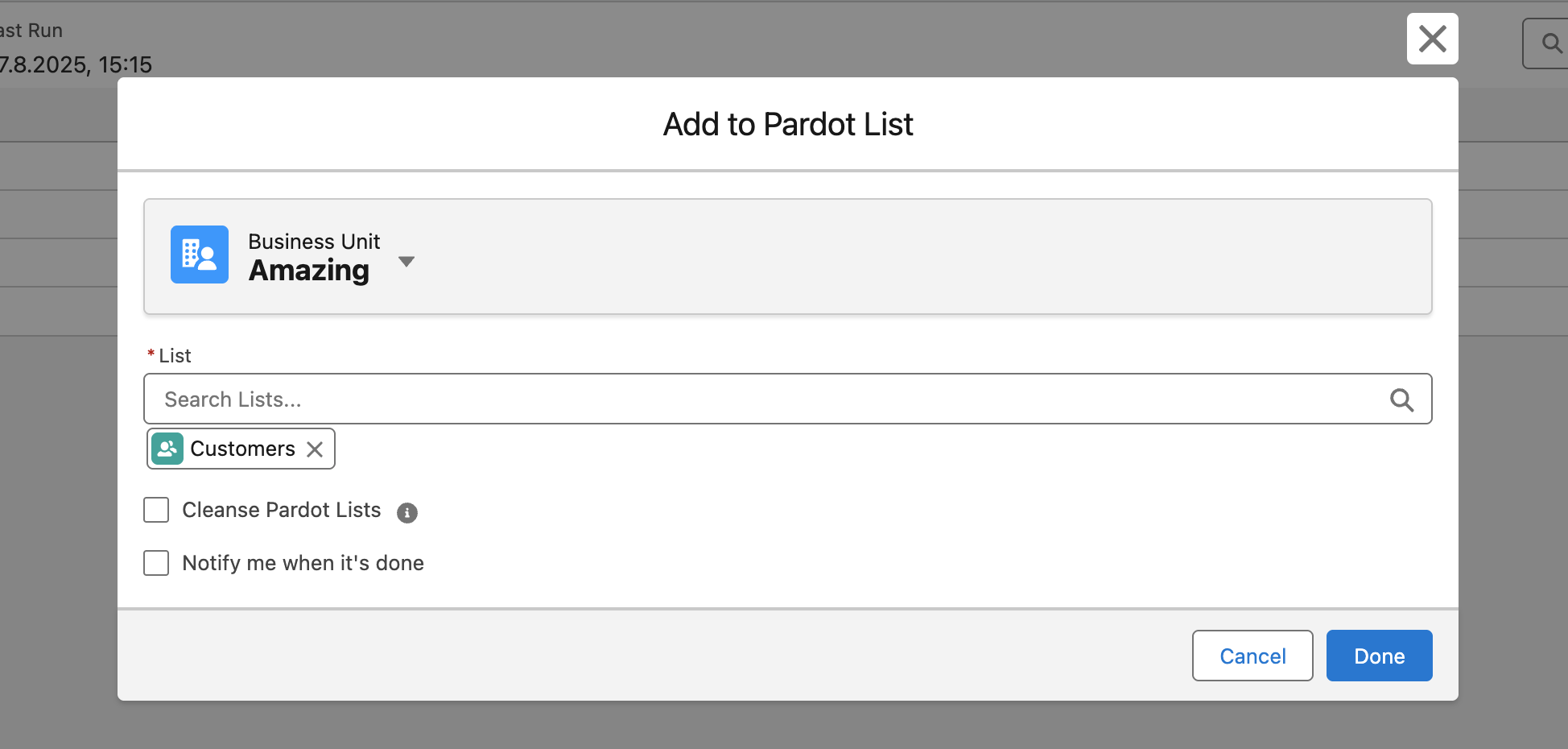
- Once you’ve selected all lists to which you want to add your campaign members, you can hit Confirm to finish the data transfer to Pardot.
- Optionally you can tick the “Notify me when it’s done” checkbox to receive a Salesforce notification once the data is transferred.
Technical Details
Section titled “Technical Details”Data Transfer Speed/Method
- A batch job runs every 15 minutes to initiate the data transfer, so it’s not real-time.
- You can always check the status in the Import Job History of the Pardot Integration Hub.
Pardot Record Creation
- Suppose audience results (Contacts/Leads) don’t yet have related Prospect records in Pardot. In that case, the interface will automatically create these Prospect records and add them to the selected List(s).
Permissions Needed
Section titled “Permissions Needed”- To enable your users to use this feature, they need to be set up as CAB Users, and their users need to be authenticated for the CAB-Pardot Interface.
Note
Available Editions
Section titled “Available Editions”
- Professional, Ultimate