

Multi-Scheduling
Introduction
Section titled “Introduction”Sometimes you might want to have audience results in multiple campaigns available. Before this update, you needed to clone redundant audiences to schedule each audience to one campaign. This wasn’t ideal, so we’re happy to introduce Multi-Scheduling to you.
This enables you to schedule one audience for multiple campaigns in one step!
Functionality
Section titled “Functionality”- You will find this setting in the existing Scheduler. The first step remains untouched.
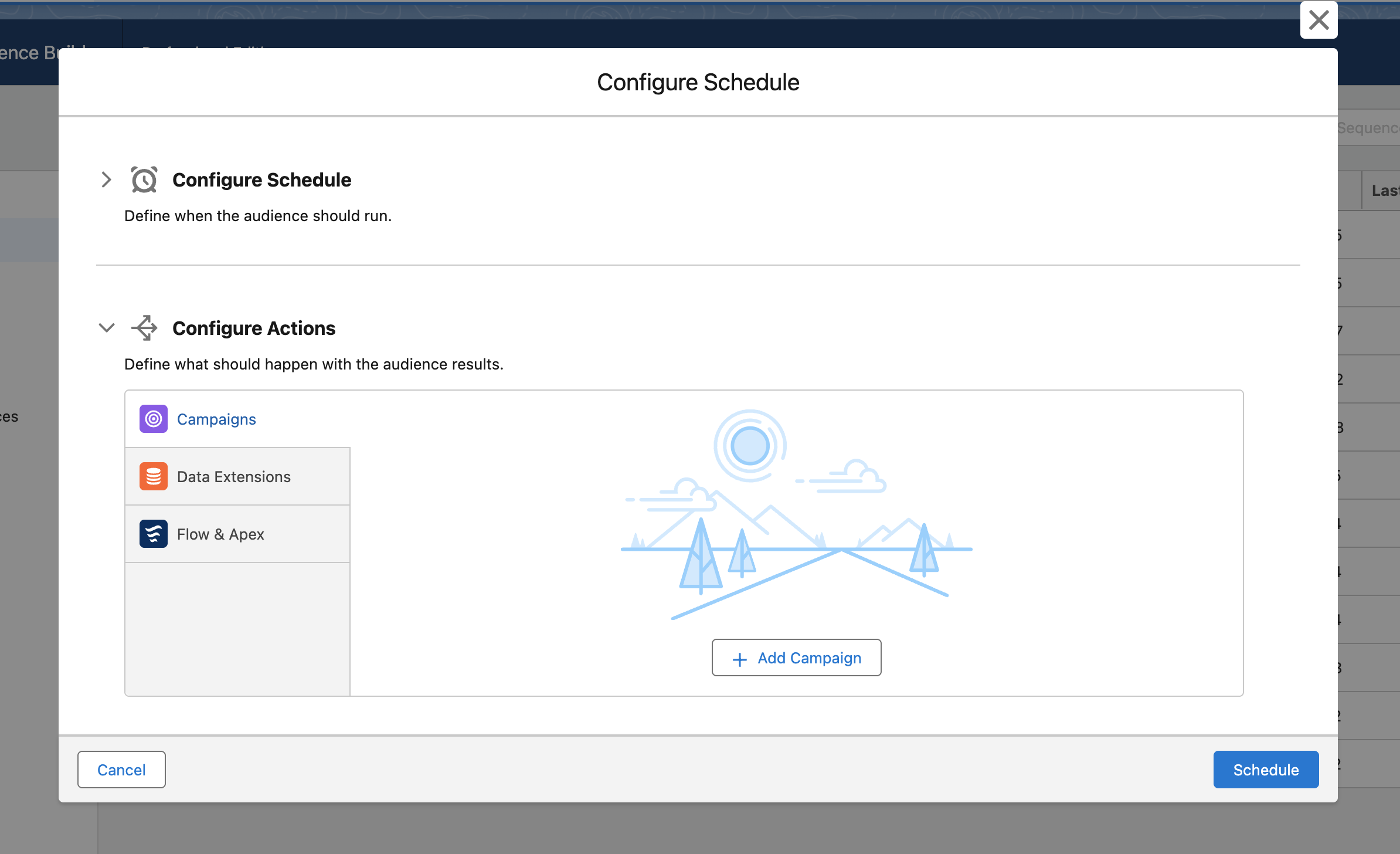
- In the second step, you can select multiple campaigns you want to update with the audience results by clicking + Add Campaign.
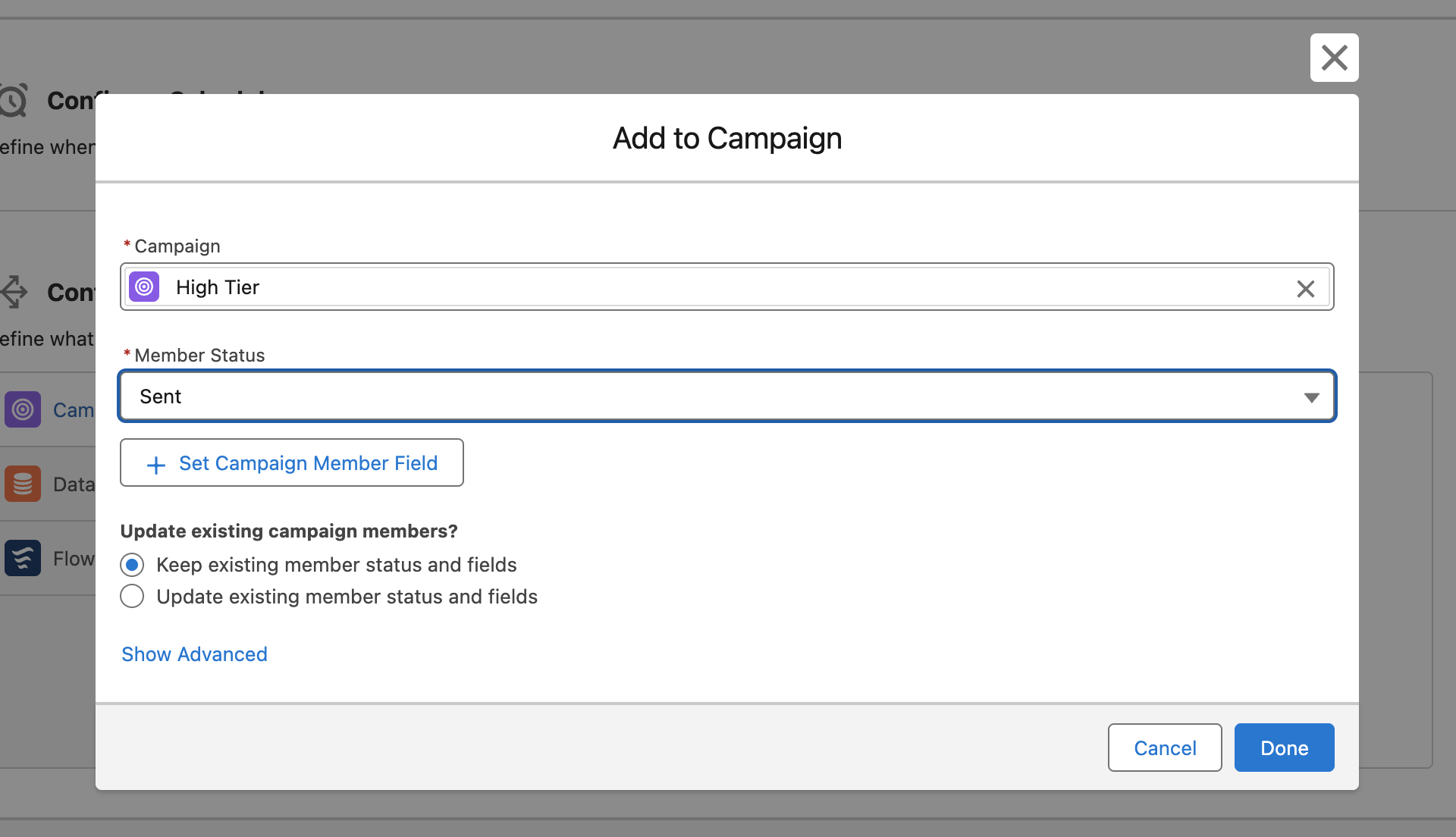
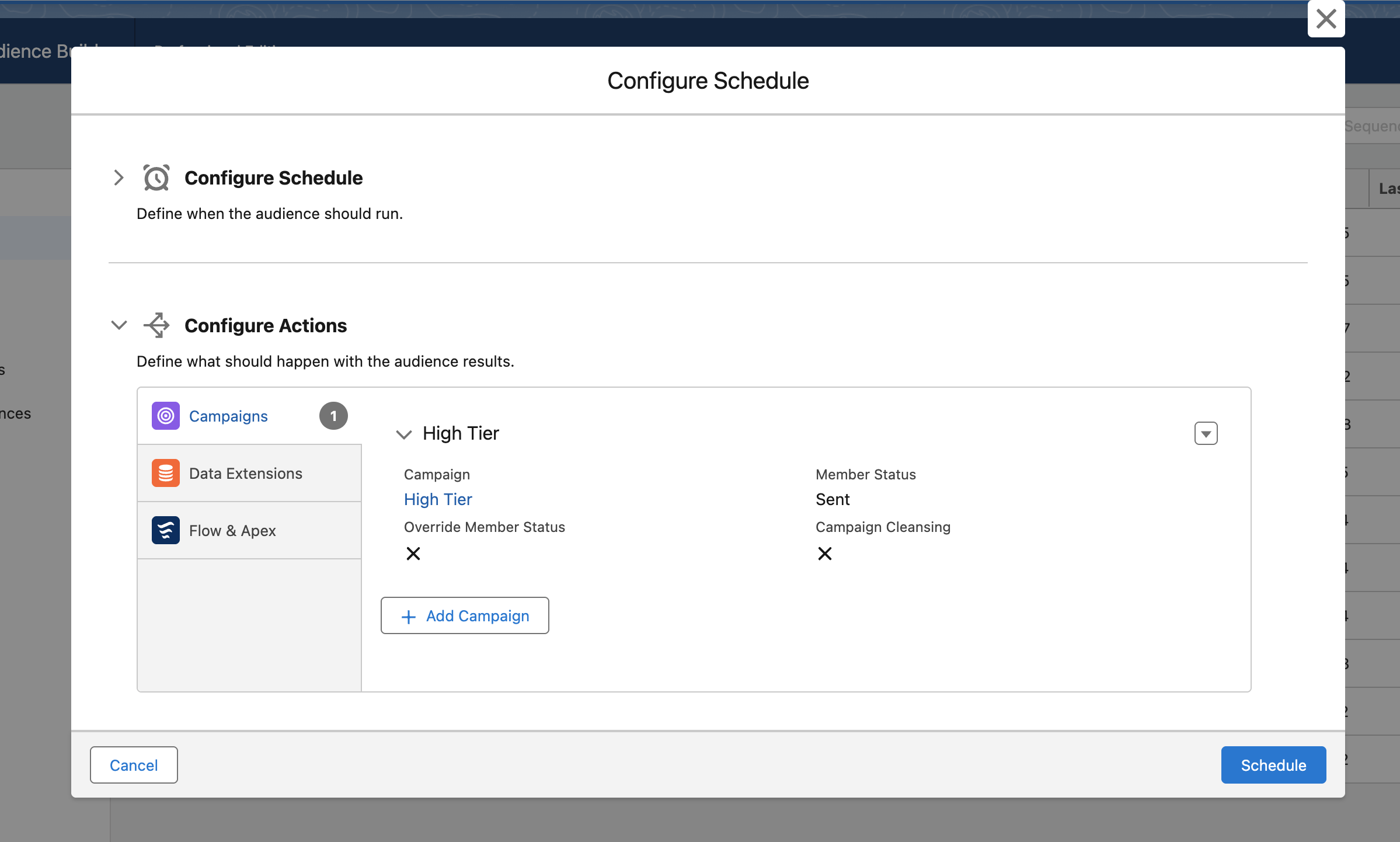
- The multiple campaigns are grouped in an accordion view. Per Campaign, you can select the Member Status, how to handle existing campaign members, and the Cleansing Options (Show Advanced).
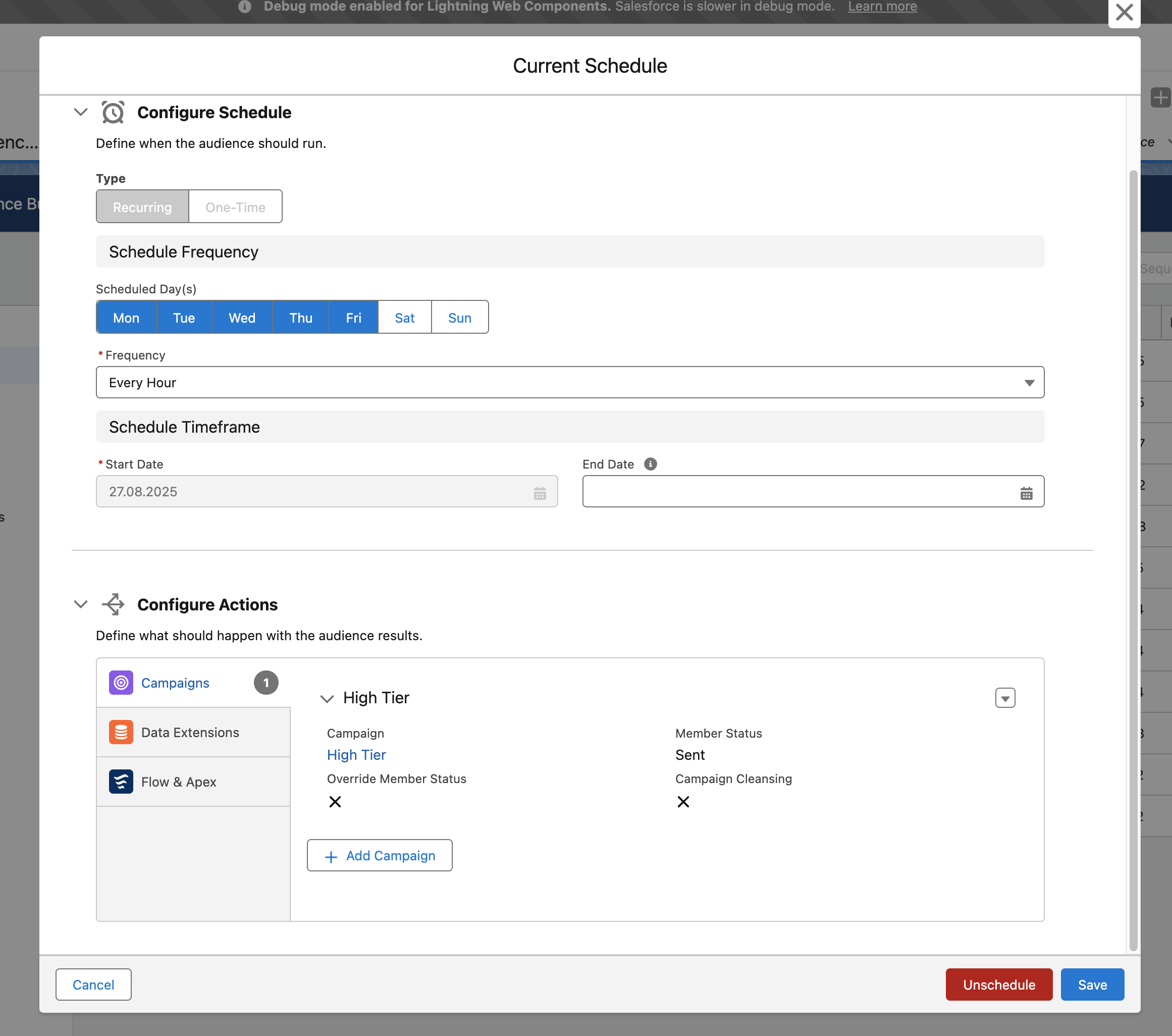
- After scheduling the audience, you also see all details per campaign in the accordion view after clicking Manage Schedule.
Note
Available Editions
Section titled “Available Editions”
- Professional, Ultimate