

Act on important setup and runtime conditions in CAB
Stay operational
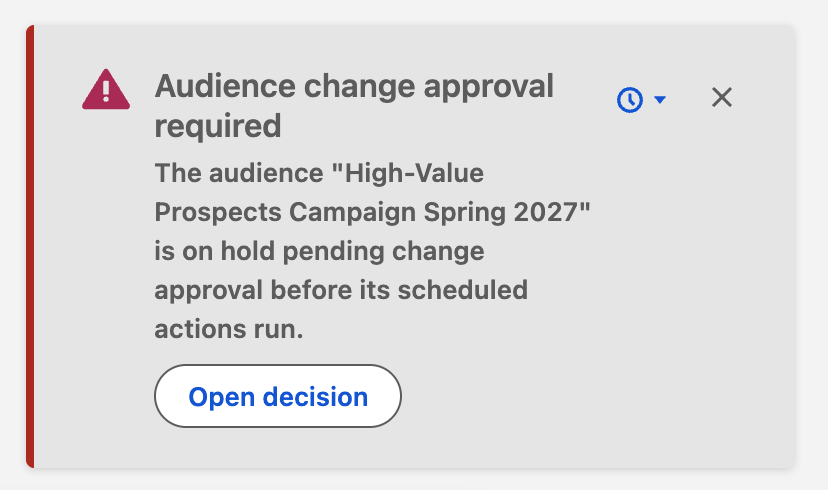
CAB now presents standing, actionable notifications as a consistent stack of cards. Severity, message, and call to action are tailored to the current user, so administrators see setup controls while other users see clear next steps.
Context aware · Snoozable · Actionable
Work with a notification
Section titled “Work with a notification”- Read the card title and message. Warning and error cards use distinct severity styling.
- Use its action when present—for example Open scheduler settings, Update credentials, or Open decision.
- Open Snooze, then choose from Snooze For: 1 Hour, 1 Day, 3 Days, 1 Week, 1 Month, or 1 Year.
- Use Close to dismiss the card for its default snooze period. It can return if the condition remains or becomes more serious.
Examples you may see
Section titled “Examples you may see”| Card | What it helps resolve |
|---|---|
| Scheduled job needs attention / Scheduled job not running | A required CAB scheduled job is missing or unhealthy. |
| Connect your account for Pardot | The current or scheduler user still needs to authorize Pardot. |
| Finish Marketing Cloud setup | Required Marketing Cloud credentials or configuration are incomplete. |
| Monthly limit reached | Either the Free plan’s monthly Add to Campaign execution limit or the organization’s monthly Cabby conversation limit was reached. The notification message identifies which limit applies. |
| Activate the Segmentation Agent | Cabby is available but has not been activated. |
| Marketing Cloud secret expiring | Credentials need attention before the displayed expiry. |
| Audience change approval required | A scheduled run is waiting for an approver’s decision. |
How persistence works
Section titled “How persistence works”These are condition-based cards, not a permanent inbox. Snoozing is stored in the current browser. When the snooze expires, the card returns only if the underlying condition still exists.