

Add Data Graph Details to MC Data Extension
Introduction
Section titled “Introduction”- MC Data Extensions are often more than just a table of contact details.
- With our CAB MC Integration, we were limited to details of the audience record (e.g., Contact, Account, Lead).
- Now we introduce the option to add more nested details to a Data Extension
- You can access bottom-up parent records, like Contact > Account > Owner > etc.
- You can also use data graph details that are used for your audience, for example, if you want to transfer details about the highest opportunity.
Functionality
Section titled “Functionality”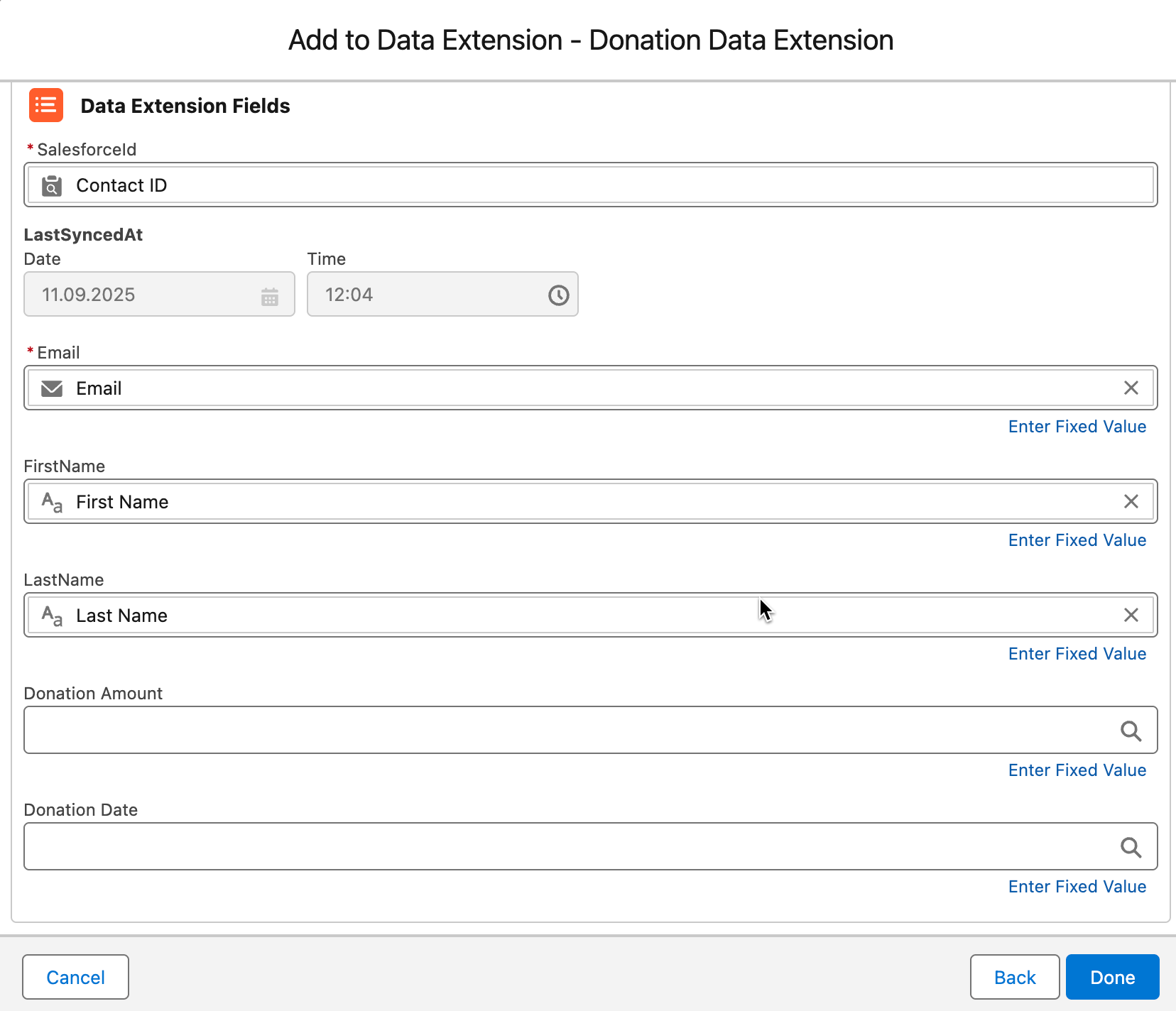
- Click into the field that you want to map, e.g., Donation Amount.
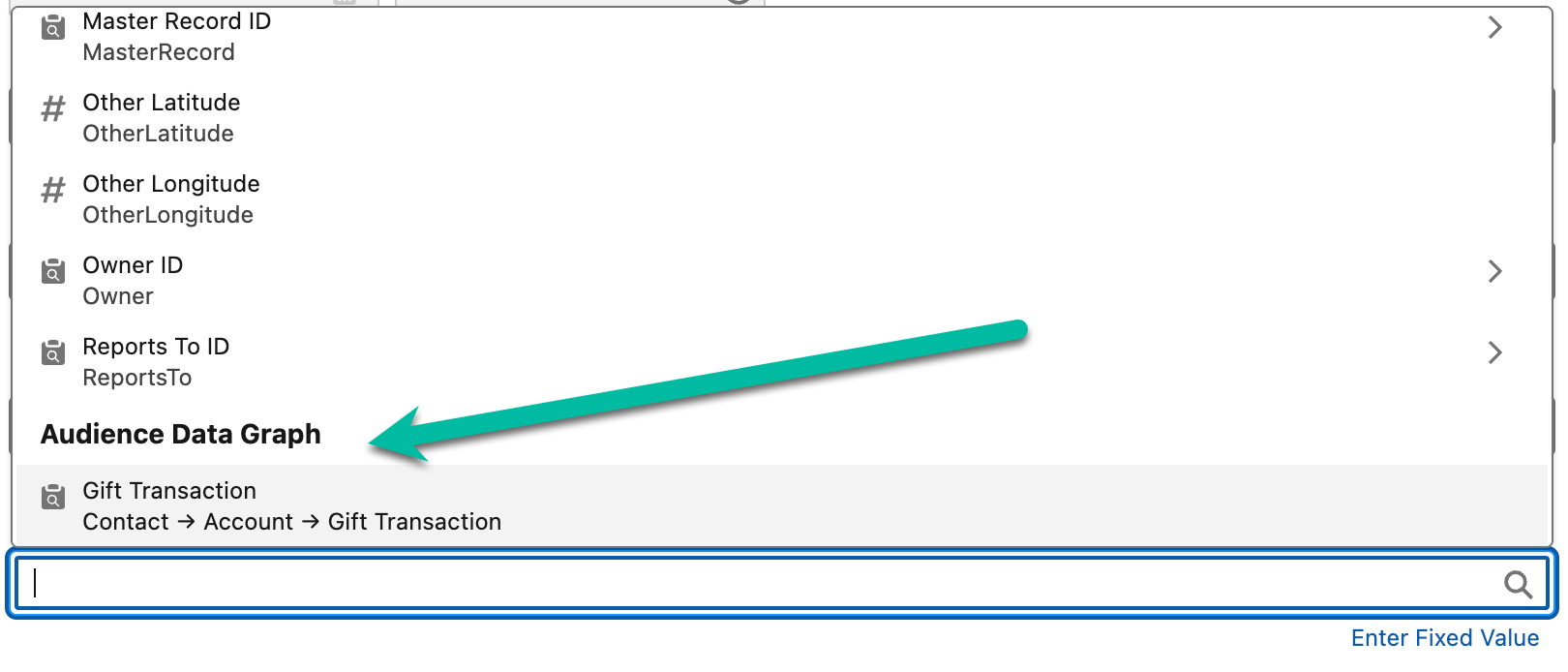
- At the bottom of the field list, you will find the Audience Data Graph section. All relevant objects used by your audience are listed.
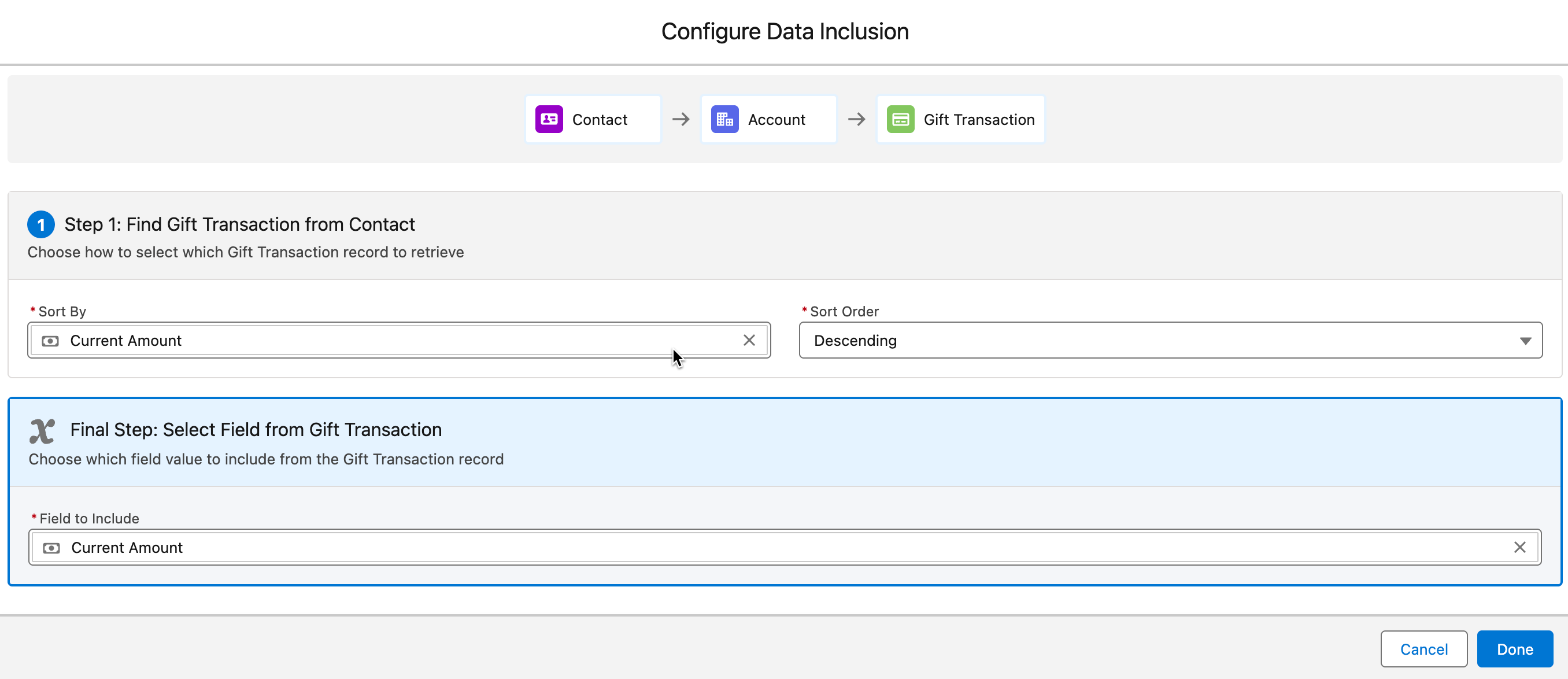
- You have to select a Sorting Field, e.g., Amount, and a Sort Order, e.g., Descending.
- This will filter the relevant records down to 1, as we need to stay in 1 dimension.
- 1 Contact - 1 Record (e.g., Opp or Donation).
- In the final step, you select the field that should be mapped to your Data Extension Attribute.
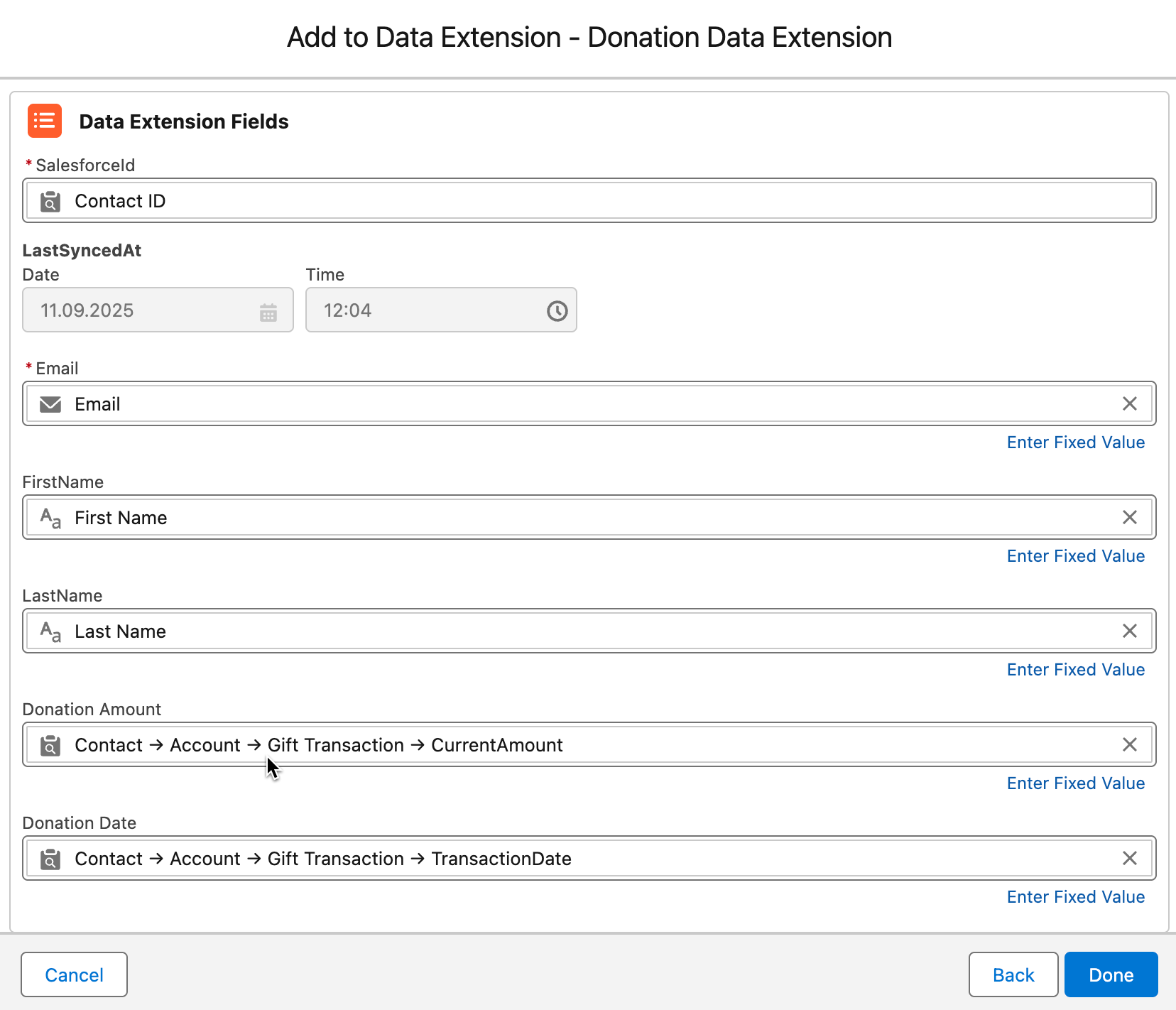
Hit Done to finish the DE Mapping and to transfer the details into the Marketing Cloud.
Available Editions
Section titled “Available Editions”Note
Professional (+MC Integration), Ultimate