

Remove duplicate campaign members
After these steps, each email address is in a campaign only once, so nobody gets the same email twice.
Before you begin
- Permission
- Read and delete access to Campaign Member.
A campaign can hold the same email address more than once, for example as a Contact and as a Lead. Remove Duplicate Members deduplicates the campaign: it finds these campaign members and removes all but one per address. It works on campaign members in Salesforce, whatever added them.
To keep duplicates out of an audience’s results before they reach a campaign, use deduplication rules instead. See Remove duplicate records.
Add the action to the Campaign page
Section titled “Add the action to the Campaign page”Do this once, as a Salesforce administrator.
-
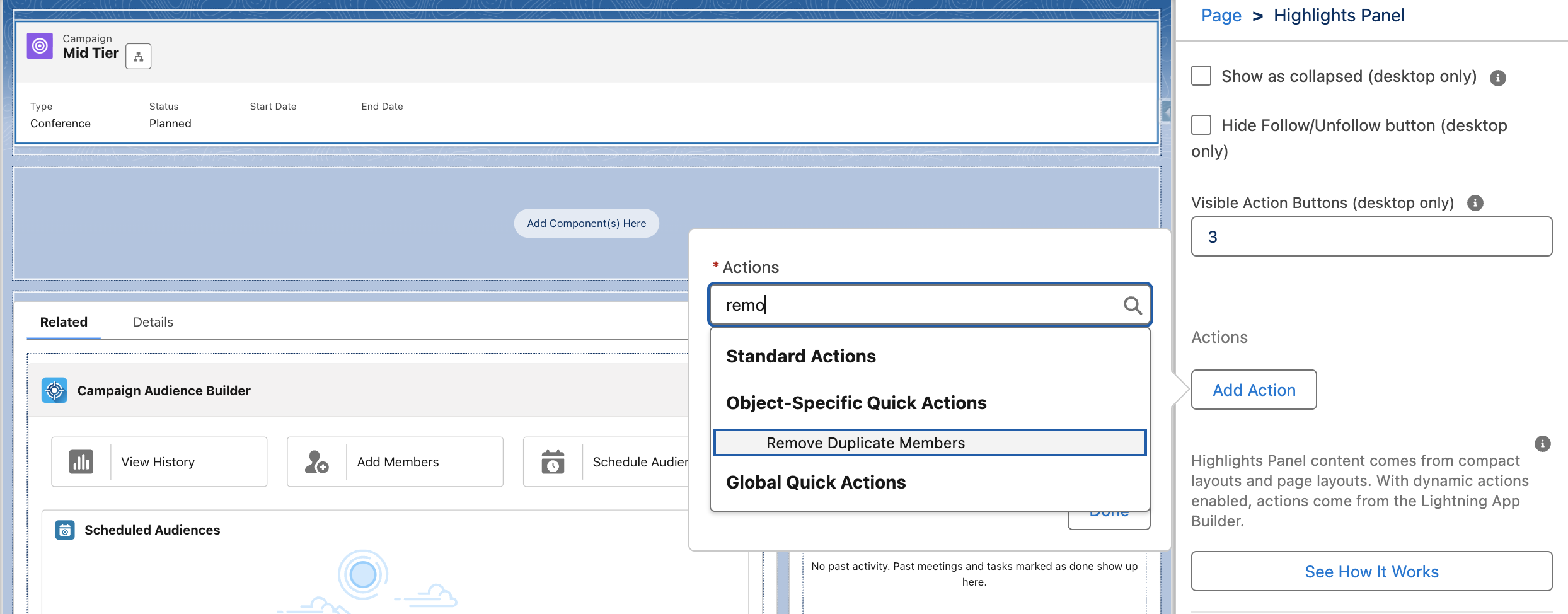
On a Lightning record page with Dynamic Actions: open a campaign, select the setup gear → Edit Page, select the highlights panel, then Add Action. Choose Remove Duplicate Members, select Done and save the page.
-
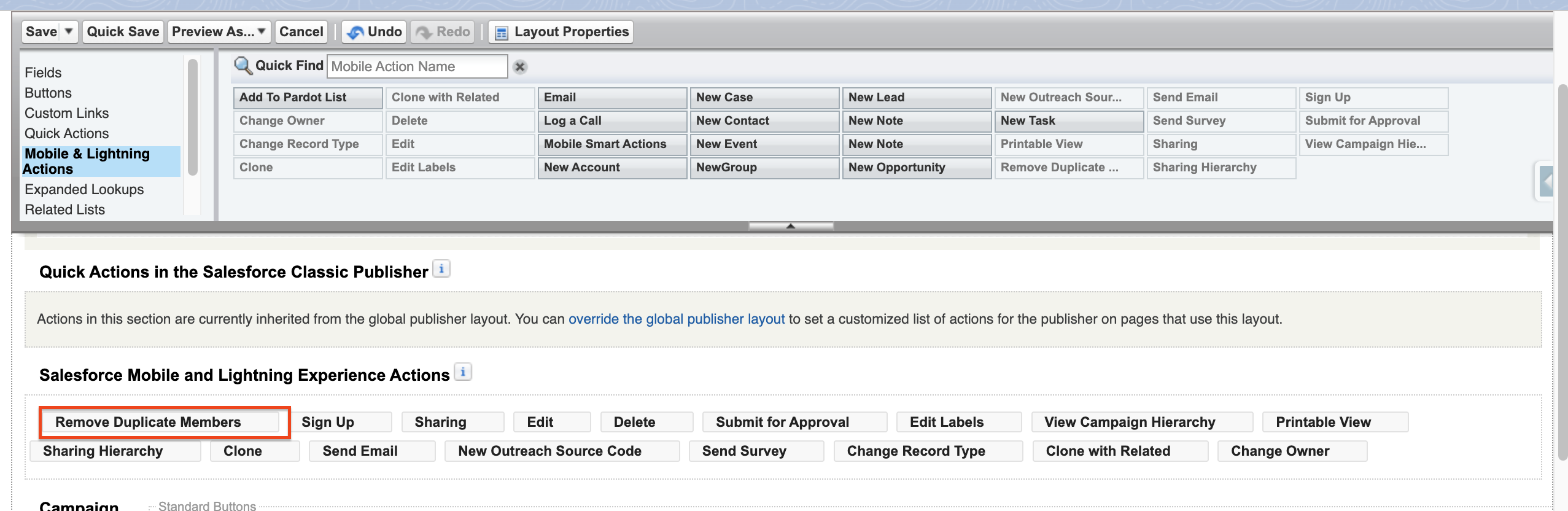
On a page layout: in Setup, go to Object Manager → Campaign → Page Layouts, open your layout, and drag Remove Duplicate Members from Mobile & Lightning Actions to the actions.
Use the step that fits how your Campaign page is built.
Remove the duplicates
Section titled “Remove the duplicates”-
On a campaign, select Remove Duplicate Members. The window says how many email addresses appear more than once and how many campaign members share them.
-
Choose how to remove them:
- Automatically keeps the oldest campaign member of each address and removes the others.
- Manually lists the members of each address. Select the ones to remove; leave the one you want to keep unselected.
-
Select Confirm.
Check the result
Section titled “Check the result”A message says how many campaign members were removed. If the campaign has no duplicates, the window says There are no duplicates in this campaign.
Only members with the same email address count as duplicates; members without an email address are never removed. When the Email field of Campaign Member is encrypted, CAB can’t compare addresses and finds no duplicates.